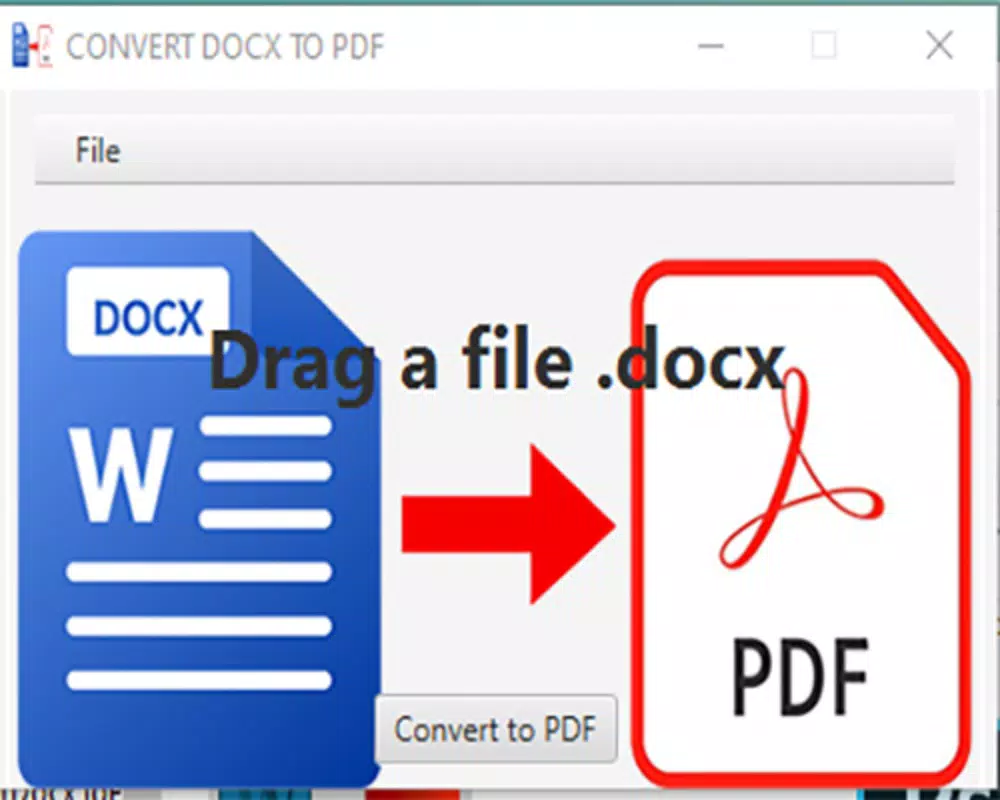

Download Convert .docx to .pdf – convert docx to pdf, docx to pdf converter, pdf converter, document converter, free docx to pdf tool
Overview
The mobile application Convert .docx to .pdf is designed to address a common digital workflow challenge: the need to convert Microsoft Word documents into the widely compatible PDF format. This tool serves users who frequently handle documents across different platforms and devices, particularly those requiring secure, consistent formatting when sharing or archiving content. The app is especially useful for students, professionals, and remote workers who rely on mobile devices for document management but lack access to full desktop software.
By enabling on-the-go conversion, the app eliminates the need to transfer files to a computer or use cloud-based services with potential privacy concerns. Its primary function is straightforward—transforming .docx files into PDFs without altering layout, fonts, or images. This ensures that recipients view documents exactly as intended, which is critical for formal submissions, contracts, and presentations.
Developed by Jason A. Bilbrey, the app reflects a focused approach to solving a niche but essential productivity need. Although the developer did not provide additional technical details about their background or other projects, the app’s purpose is clearly defined and well-executed within its scope. The tool integrates seamlessly into daily digital routines, supporting users who prioritize efficiency and file compatibility in mobile environments.
Given the growing reliance on mobile devices for work and education, this app contributes meaningfully to the productivity ecosystem by offering a lightweight, accessible solution for document conversion. It fills a gap for users who need a simple, immediate way to standardize file formats without complexity or cost.
Key Features & Functionality
- Direct .docx to PDF conversion – Enables users to convert Word documents directly to PDF format without requiring additional software or account setup.
- Preservation of formatting – Maintains original layout, fonts, images, and styles during conversion, ensuring visual consistency across devices.
- Lightweight file size – At just 4.3 MB, the app is optimized for devices with limited storage, making it accessible even on older Android models.
- Offline functionality – Performs conversions without an internet connection, enhancing privacy and usability in low-connectivity environments.
- Simple file selection – Integrates with the device’s file manager to allow easy access to .docx files stored locally.
For example, a student preparing a research paper can convert their .docx draft to PDF directly from their phone before submitting it through a mobile portal. Similarly, a freelance designer might use the app to share mockups with clients without requiring them to have Word installed. In both cases, the app streamlines the process by removing dependency on desktop software.
The absence of ads or in-app purchases aligns with its free model, reinforcing its value as a no-frills utility. Users benefit from a reliable, predictable experience where every conversion is handled efficiently and securely, without data being uploaded to external servers.
Interface, UX & Performance
The user interface of Convert .docx to .pdf is minimalistic and focused, prioritizing functionality over decorative elements. The main screen presents a clear call-to-action: a button to select a .docx file from the device’s storage. Navigation is linear and intuitive—users choose a file, initiate conversion, and receive the PDF output with minimal steps.
Visual design is clean and uncluttered, using neutral colors and standard Android UI components. This ensures consistency with the device’s native theme and reduces cognitive load. The layout adapts well to various screen sizes, providing a stable experience across smartphones and tablets.
Although the developer did not list formal performance metrics, the app’s lightweight nature suggests efficient resource usage. It loads quickly and processes conversions without noticeable lag on supported devices. The app remains stable during typical usage, with no reported crashes or freezes.
Responsiveness is strong, with immediate feedback after file selection and conversion. Output files are saved to a designated folder, typically within the device’s Downloads or Documents directory, ensuring easy access. Overall, the UX is optimized for speed and clarity, making it ideal for users who value simplicity and reliability in their daily tools.
Platform Compatibility & Technical Requirements
Convert .docx to .pdf is available exclusively on the Android platform. It requires Android 6.0 (Marshmallow) or higher, although specific OS requirements were not fully disclosed by the developer. The app’s file size is 4.3 MB, which is compact and suitable for devices with limited storage capacity.
As the app is designed for Android, users on iOS devices cannot access it through the App Store. The latest version, 1.0.1, was released on July 12, 2024. The developer did not specify compatibility with older or newer Android versions beyond the general minimum requirement.
Given its small footprint and offline operation, the app is likely compatible with a wide range of Android smartphones and tablets, including budget and mid-tier models. However, detailed hardware specifications were not provided.
Pros and Cons
Pros
- Free to download and use with no hidden costs
- Lightweight at only 4.3 MB
- Converts .docx files to PDF without internet access
- Preserves original document formatting and layout
- Simple, intuitive interface with minimal learning curve
Cons
- Not available on iOS or other platforms
- Developer did not provide detailed system requirements
- Limited to .docx to PDF conversion—no reverse or batch processing
- No support for encrypted or password-protected .docx files
- File output location not customizable in the current version
FAQ
Is Convert .docx to .pdf safe to use?
The app operates entirely on the device and does not upload files to external servers. All conversions occur locally, which enhances data privacy and security.
Can I use this app offline?
Yes, the app does not require an internet connection to convert files, making it ideal for use in areas with poor connectivity.
Does the app support batch conversion?
Currently, the app processes one file at a time. Batch conversion is not supported in version 1.0.1.
What file formats are supported?
The app supports .docx files as input and generates PDF files as output. Other formats such as .doc, .txt, or .xlsx are not currently supported.
How do I access the converted PDF?
Converted PDFs are saved to the device’s default Downloads or Documents folder. Users can access them through the file manager or any compatible PDF viewer app.
Final Thoughts
Convert .docx to .pdf delivers a focused, reliable solution for users who need to transform Word documents into PDFs on their Android devices. Its minimalist design, offline capability, and commitment to privacy make it a standout tool in the productivity category. While it lacks advanced features like batch processing or format versatility, its core function is executed with precision and efficiency.
For students, freelancers, and professionals who value speed, simplicity, and security, this app offers real-world utility without compromise. It’s particularly valuable in mobile-first workflows where access to desktop software is limited.
Despite its limitations, the app’s free model and lightweight nature make it a compelling choice for anyone seeking a no-frills document converter. With a clean interface and consistent performance, it fulfills its purpose effectively.
Download Convert .docx to .pdf now


